The software
See how the work gets done.
Clear steps. Real product views. Work your team can move forward.
Example screens with sample data. Each view uses its own demonstration job.
Your office and crews should know the next step without texting you.
Everything the software does
37 things your office and crews can do in Eaveside today, from the first call to the final payment.
Customers & jobs
- Leads and contacts
- Every lead, customer and contact in one place, with where they came from.
- Job pipeline
- Move each job through your own stages, from first call to final payment.
- Tasks and follow-ups
- Give every job a next step with a due date, so nothing runs on memory.
- Calls and texts
- See customer calls and texts on their record.
- Photos and documents
- Jobsite photos, reports, contracts and files, stored on the job.
- Review requests
- Ask customers for a review after the job and see who left one.
- Export your data
- Download customers, contacts and estimates as a spreadsheet any time.
Measurements & estimates
- Measurement report import
- Upload an EagleView, Roofr, Hover or RoofOrders report and the measurements fill in.
- Your price book
- Materials, labor and waste priced the way your office set them up.
- Estimate templates
- Start each estimate from a template built for the work you sell.
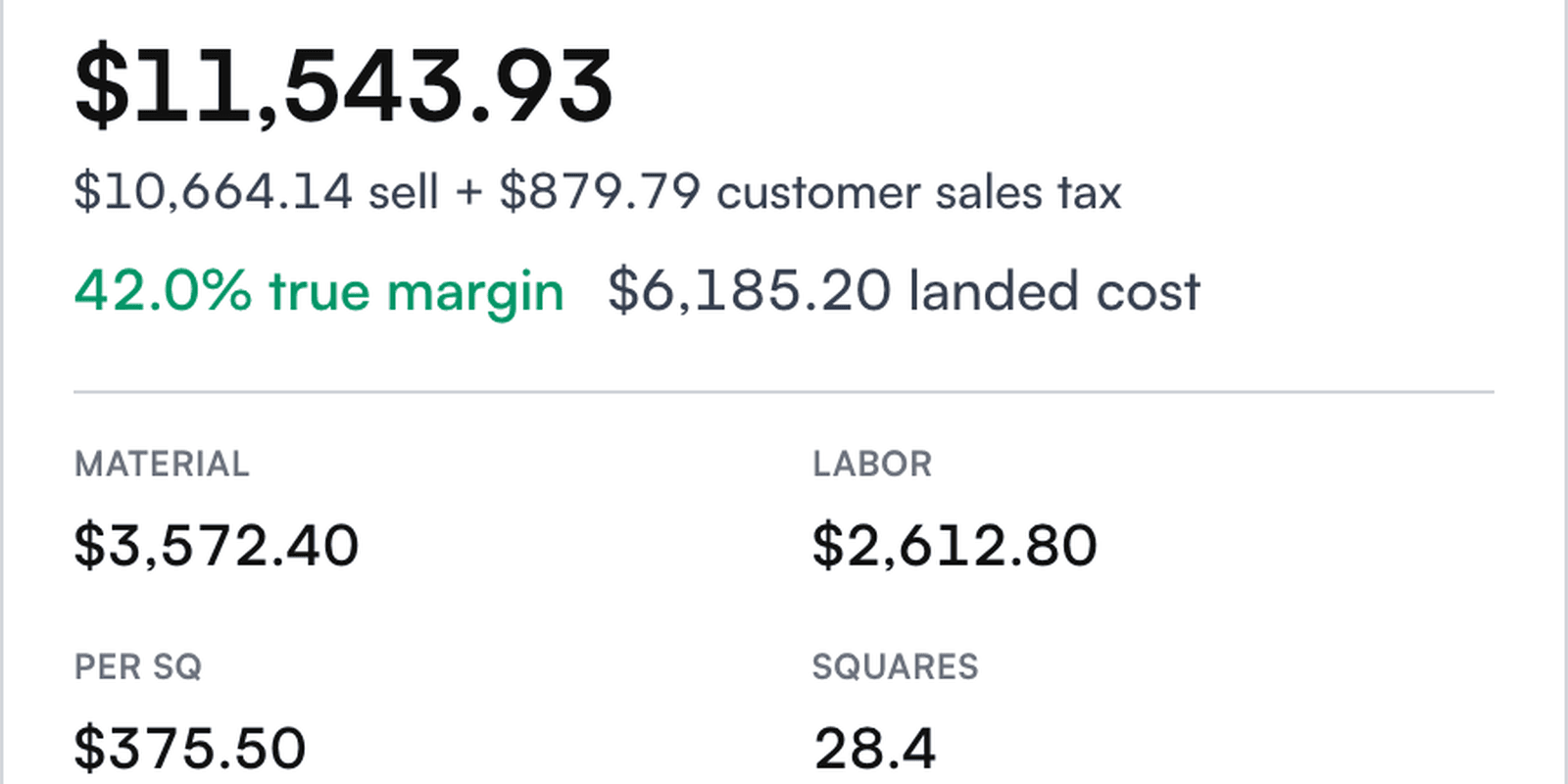
- Live margin
- Margin updates as you change any line, before the estimate goes out.
- Multi-trade estimates
- Roof, siding and gutters on one job, priced from the same price book.
- Inspections
- Record roof condition section by section, with photos, and carry it into the estimate.
- Insurance supplements
- Compare the carrier's estimate with yours and draft the supplement for review.
Proposals & payments
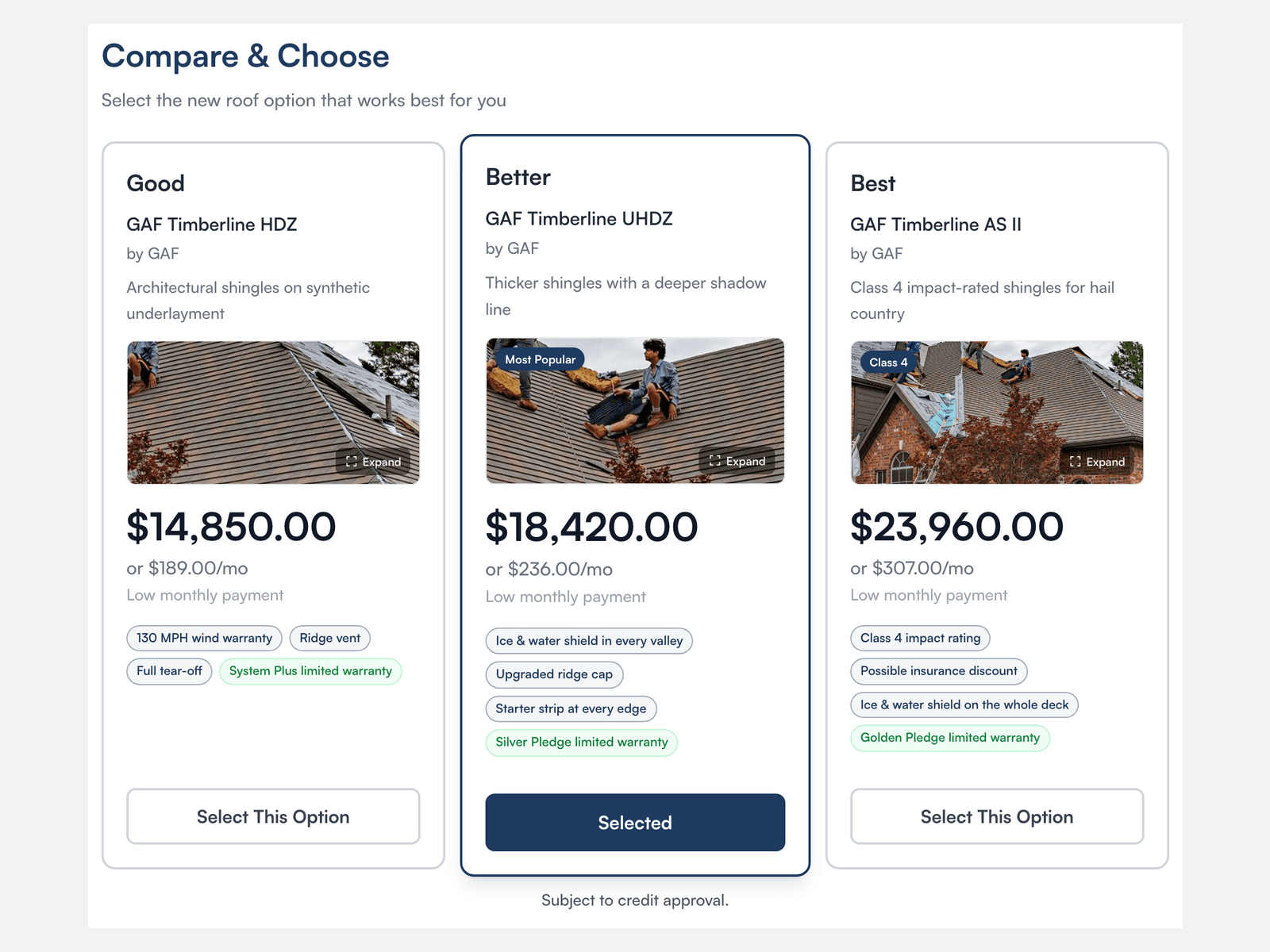
- Good, better, best proposals
- Three options the homeowner can compare and pick on their phone.
- Monthly payment options
- Show each option with a monthly payment when you offer financing.
- E-signature
- Homeowners sign online. No separate signing service to pay for.
- Contracts
- Generate the contract from the signed estimate and send it for signature.
- Invoices
- Bill the job and see what is paid, partly paid or overdue.
- Online payments
- With online payments set up, send customers a link to pay.
- Commissions
- Track what each rep is owed, starting with the job's first payment.
Team & field work
- Calendar and appointments
- Appointments, timed tasks and crew schedules on one calendar.
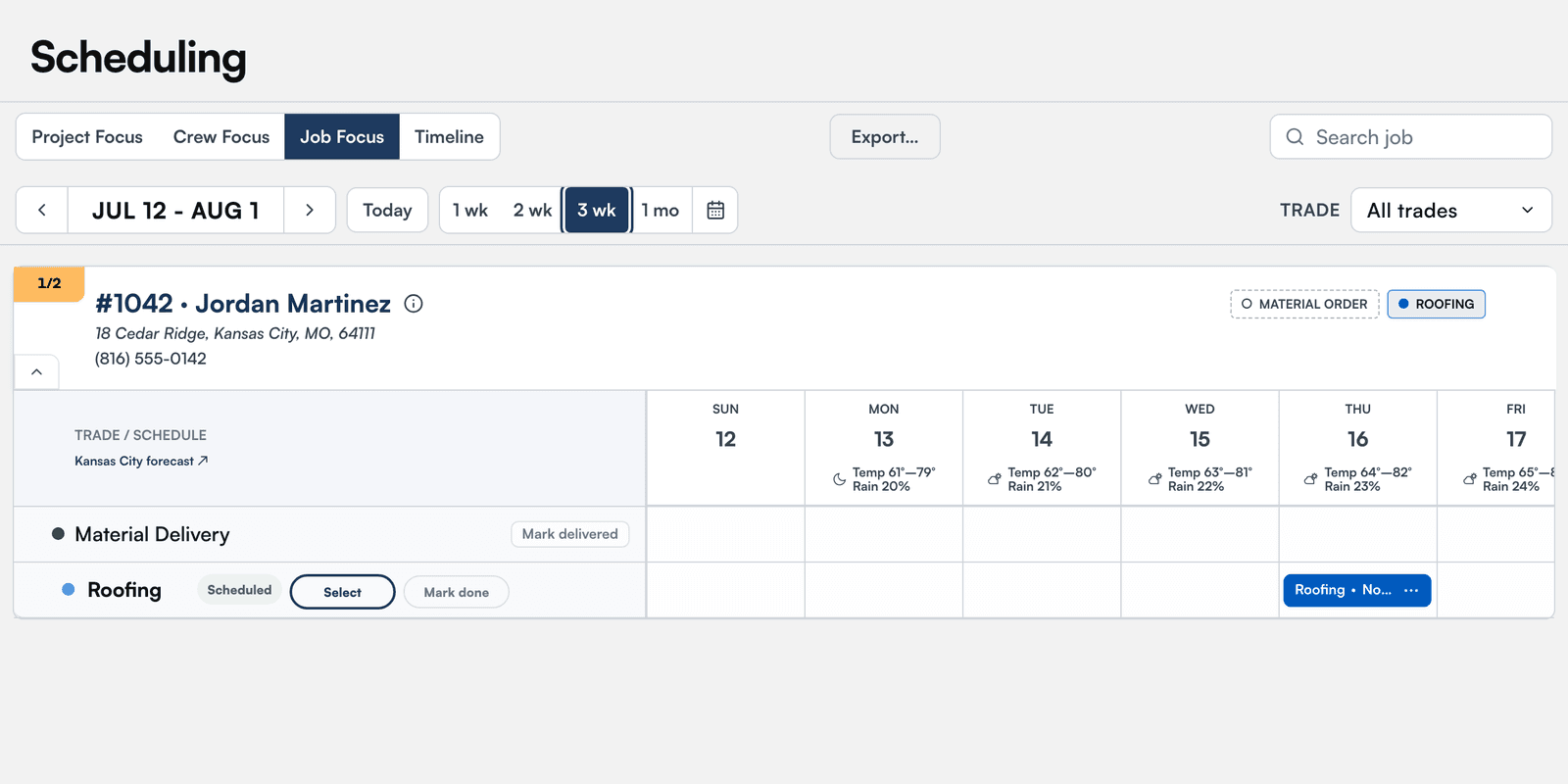
- Production schedule
- Book crews and material deliveries on one board, with the weather forecast.
- Material orders
- Create the order on the job and track it from draft to delivered.
- Crew packets
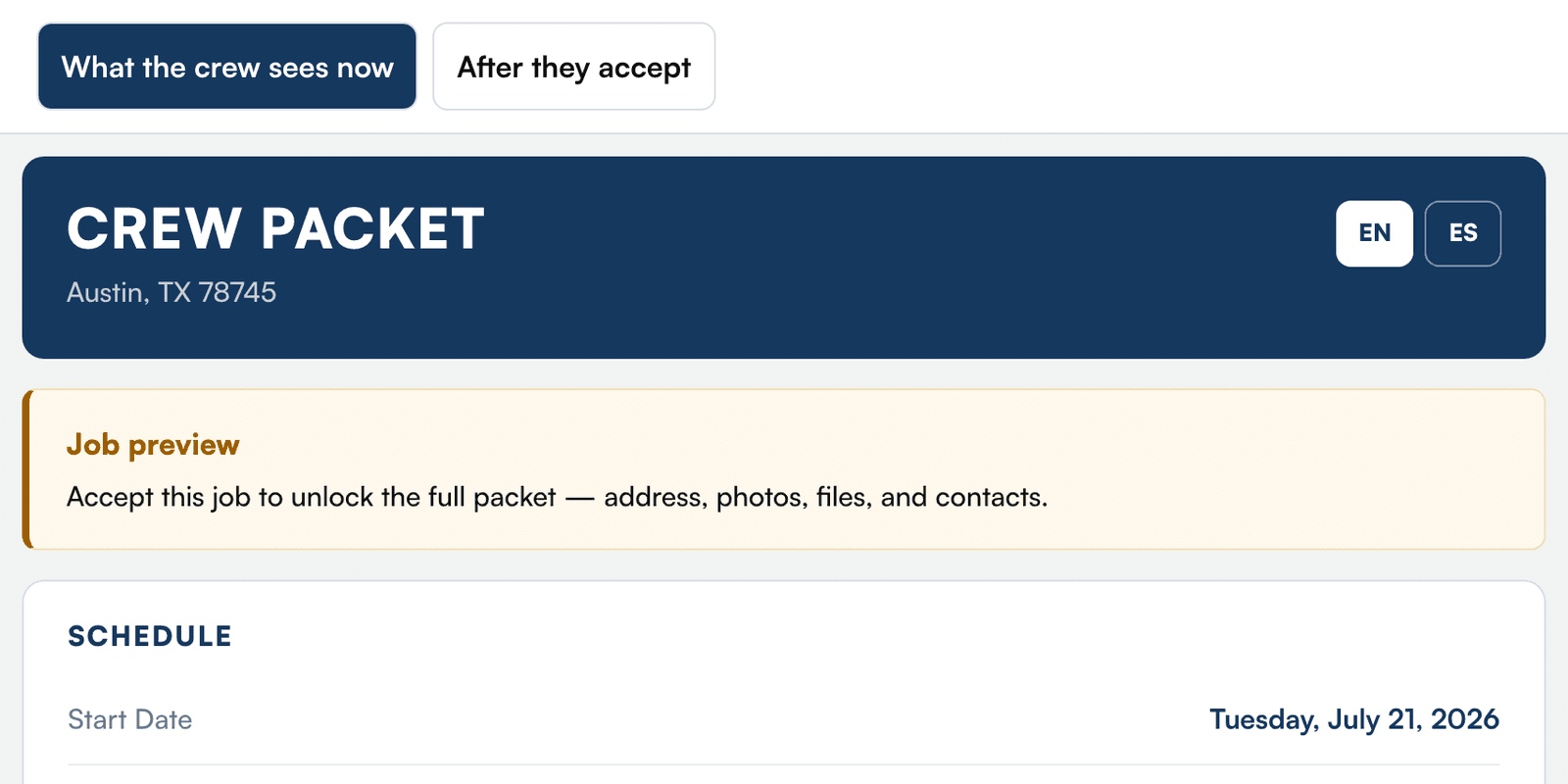
- Crews see scope, pay, dates and town first. The street address unlocks when they accept.
- Crew app
- Today's jobs, directions and photo uploads on the crew's phone.
- Crew pay
- Each finished trade releases the crew's pay ticket.
- Approval check
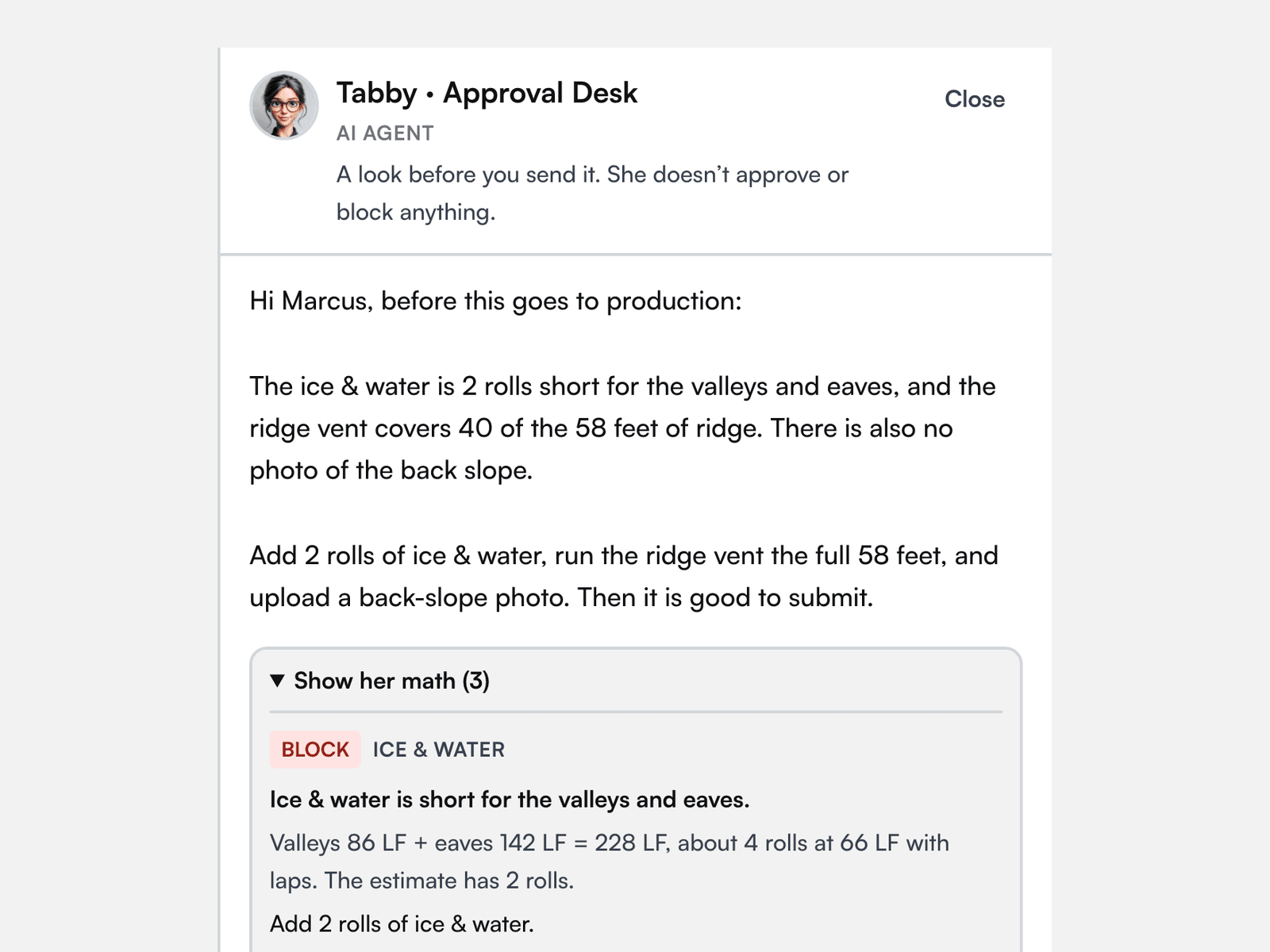
- Before production, an AI check flags short materials or missing photos for a person to fix.
- iPhone app
- Jobs, notes, messages and photos in the EaveSide app on the App Store.
Reporting & integrations
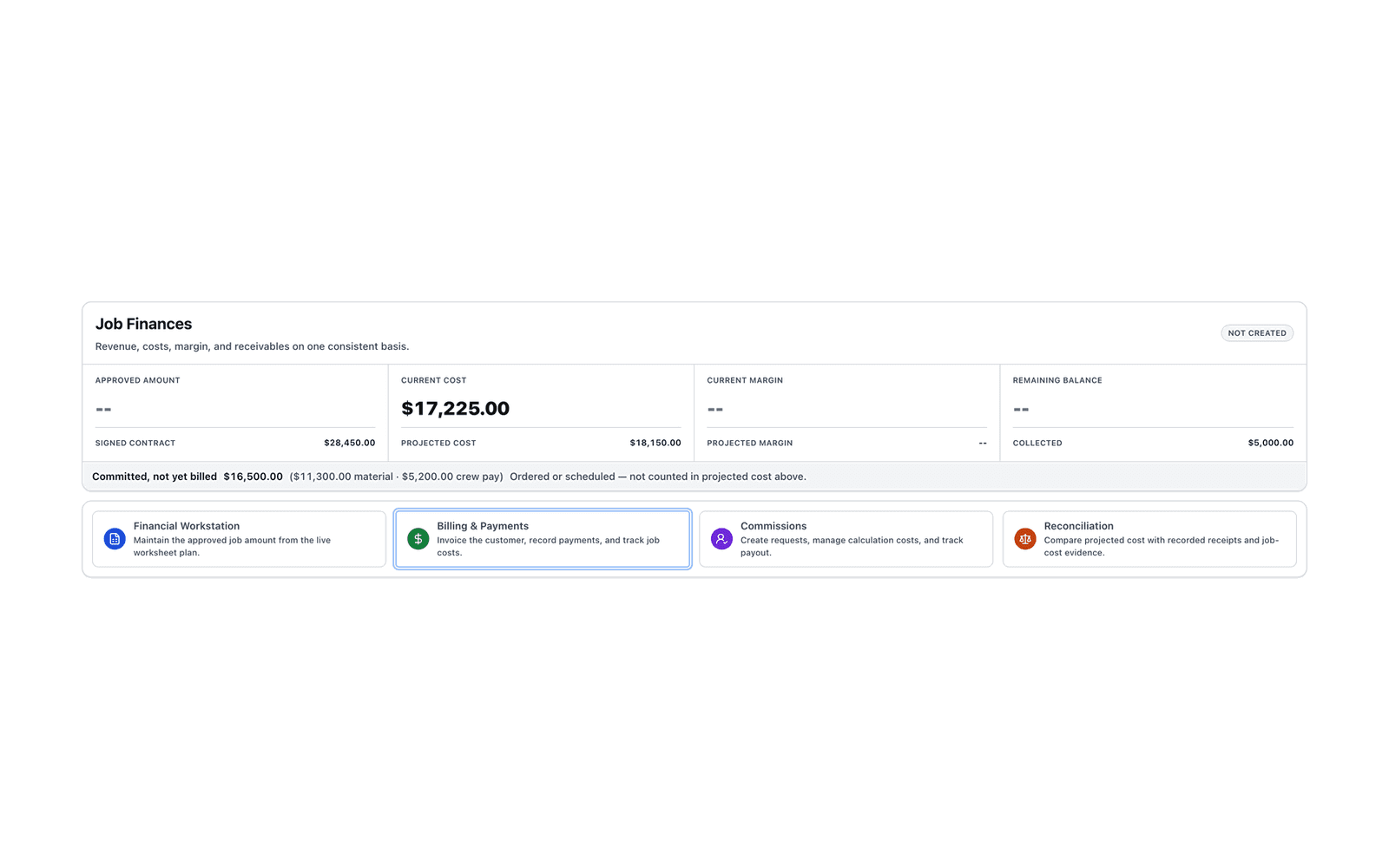
- Job profit
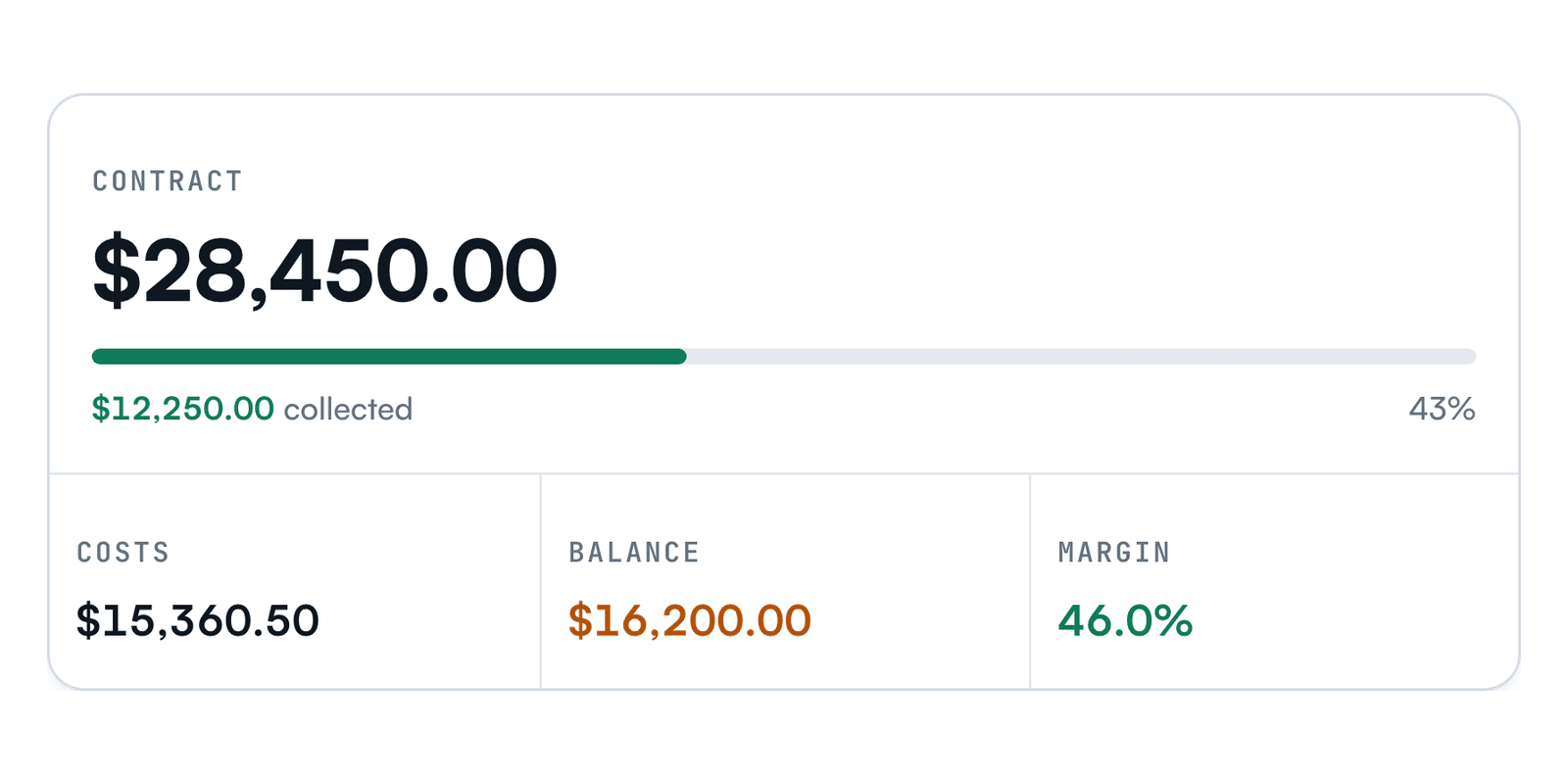
- Margin on every job from its real costs.
- Lead source performance
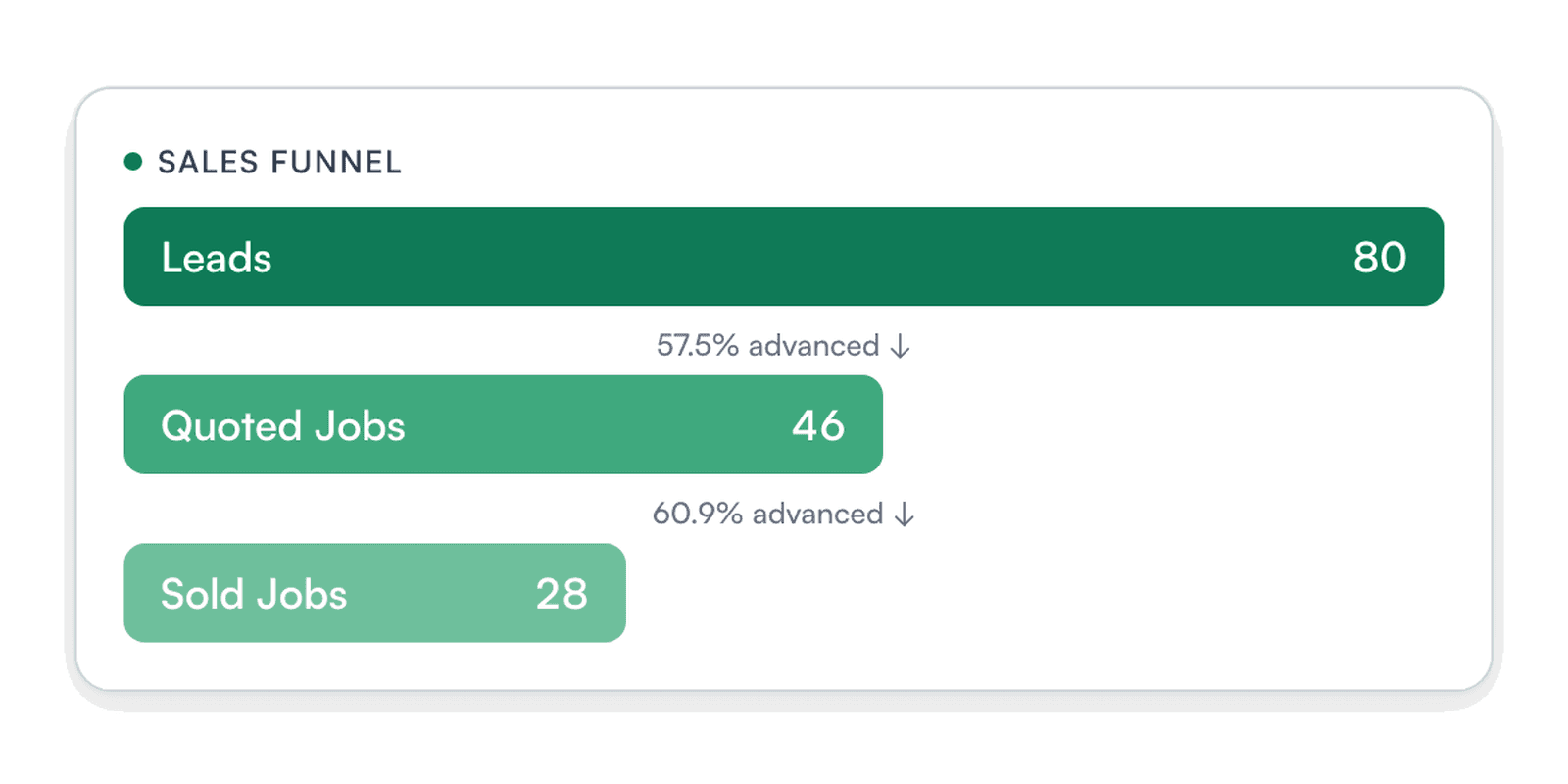
- Which sources turn into signed jobs, and what they cost you.
- Owner reports
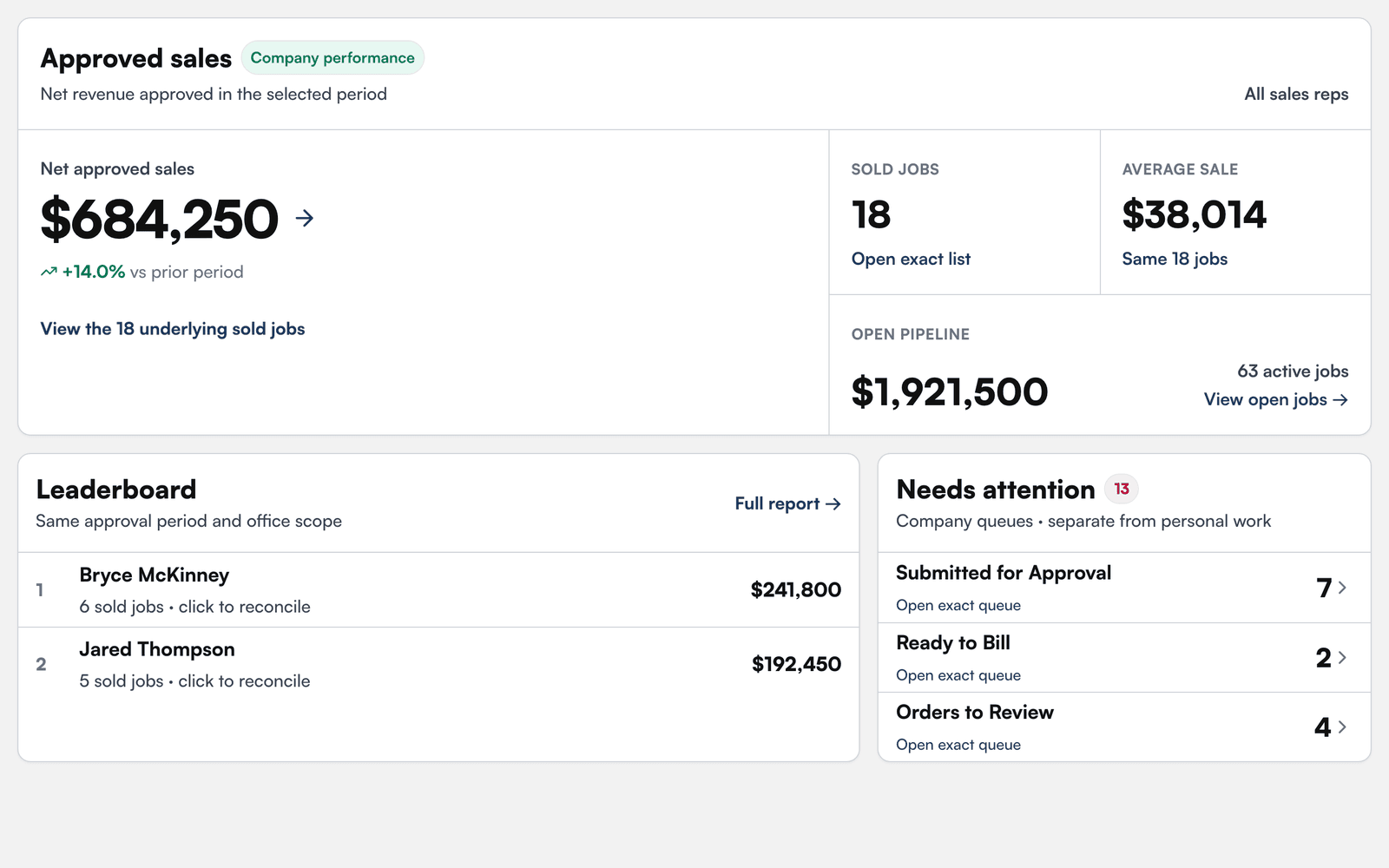
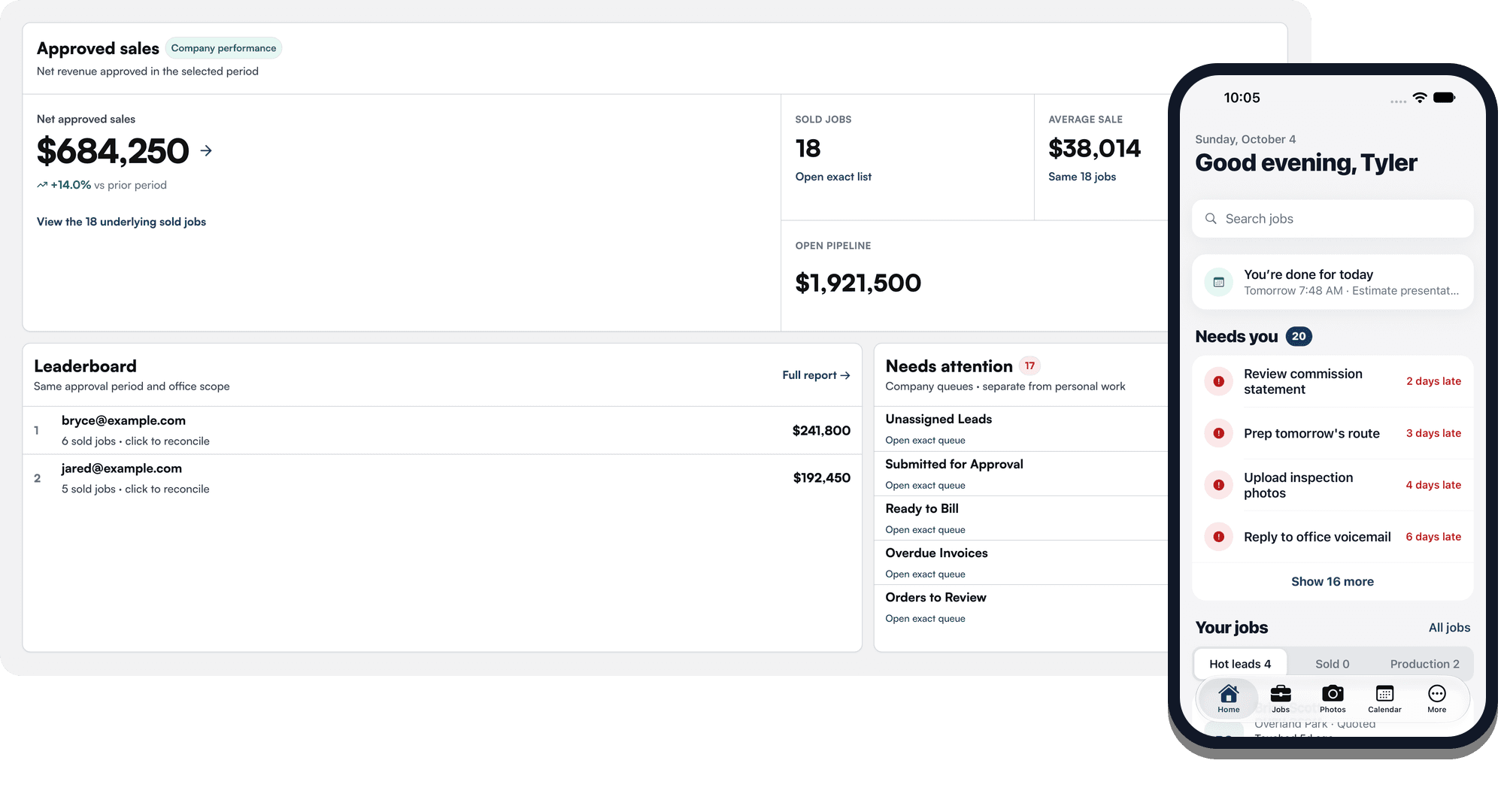
- Sales by rep, production backlog, receivables and plan versus actual.
- Cash forecast
- Money coming in and going out over the next 13 weeks.
- QuickBooks Online
- Invoices and customers go to QuickBooks. Payments and costs come back.
- Lead connections
- Leads from Google Local Services Ads, Angi, Thumbtack and CallTrackingMetrics land in Eaveside.
- Google Calendar
- Connect your Google Calendar to Eaveside.
- Photos and suppliers
- Connect CompanyCam for photos, Hover for measurements and ABC Supply for orders.